When we stop to study how to connect Alexa to Samsung TV, we will have two possibilities: built-in assistant or externally connected; there are few differences between them that we will comment on in the next topics;
With Alexa correctly connected to the Samsung TV, it will be possible to perform various functions and tasks; such as turning the TV on and off by voice. Curious? See the step by step on how to connect Alexa to Samsung TV correctly!
Built-in and external assistant
Samsung’s new era of televisions already has the built-in Alex Built-In assistant natively; that is, factory-integrated with the device; while other older models only support the speaker with Alexa;
To find out if the television has native integration with Alexa is very simple, just identify the microphone option on the controller;

Is there much difference?
No! however, TVs that have Alexa built-in bring some more benefits and functions, such as: possibility to follow the weather in real time and create alarms and reminders;
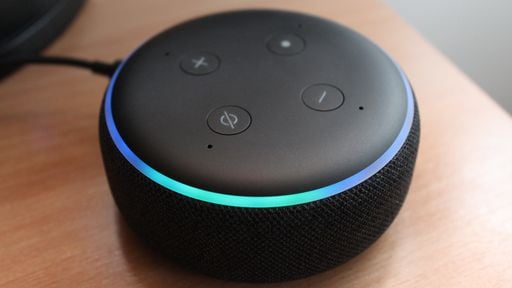
How to Connect Alexa on Samsung TV: Native Assistant
- First, you need to create an account on the Amazon website; Click here
- Soon after, after creating the account, you must click on the Home icon on the control;
- Go to the apps tab and select Alexa and press Ok
- Log in to your account created on Amazon and authorize access; via access code or QR code
- Done! Now just press the microphone icon on the controller and enjoy the numerous benefits that the integrated Alexa assistant brings to the user;
Important: It is not necessary to purchase the smart speaker to enjoy the benefits of Amazon’s virtual assistant;
How to Connect Alexa on Samsung TV: External Assistant
First, you must also create an Amazon account and register your smart box; this entire process is carried out online through the official Alexa app;


Gostou deste artigo?
Ajude a espalhar esse conhecimento compartilhando com seus amigos.